

Every project on time, on budget and paid.
Give each project a day and a crew, watch its costs against the estimate as the work goes, and invoice it the moment the customer signs off.
Free for 14 days, with no card to start.
- Your whole week at a glanceDrag a project onto a person and a day. Who is booked and who is free is plain to see.
- On budget while it happensCosts, labor and margin against the estimate, so a project running over shows before it is done.
- Signed off, then billedThe customer signs on your phone that the work is done, and the invoice comes from the quote.
From the first visit to the final invoice.
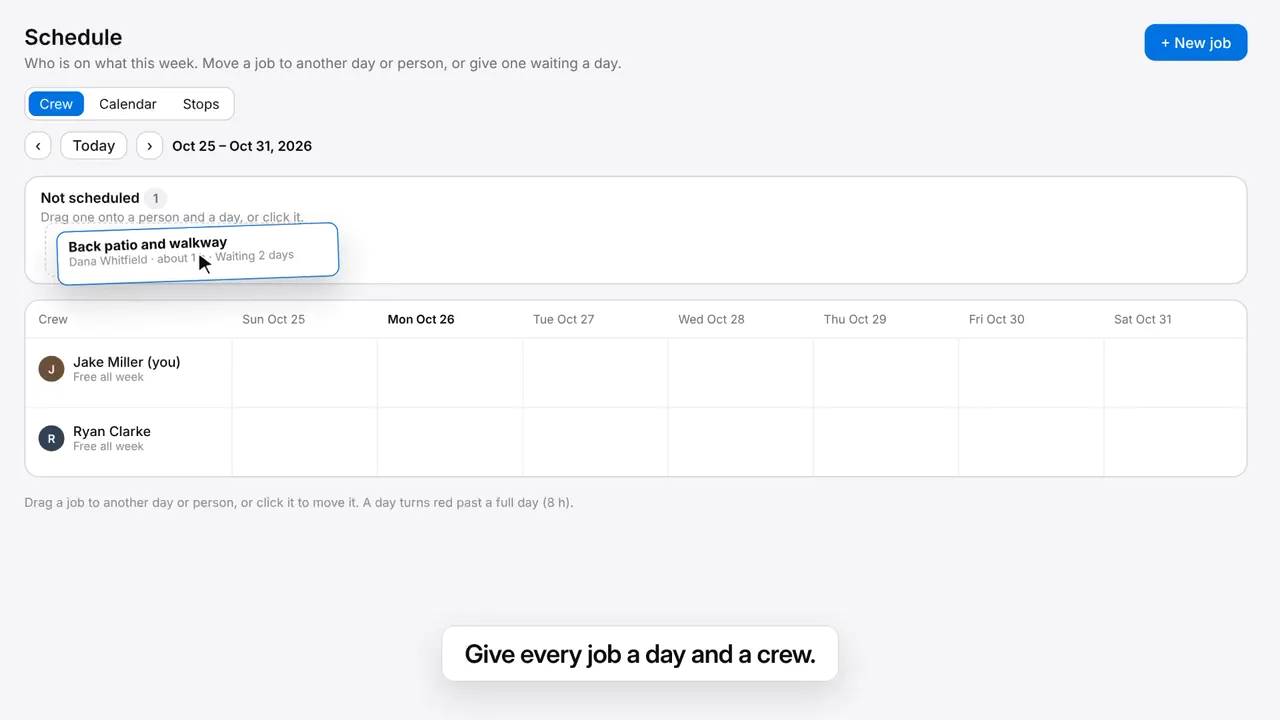
Give every project a day and a crew
Drag a waiting project onto a person and a day, or move one to another. The board shows who is full.
The crew ticks it off on site
Each step on everyone's phone, a photo where you ask for one, and who ticked it and when.
Signed off before they leave
Hand the customer the phone to sign that the work is done, and email them the report with the after photos.
Invoice it straight from the quote
Every line the customer approved comes over, so the invoice is ready to check and send.
Repeat work is one project
Weekly or monthly work keeps its visits on the schedule, not a pile of copies to keep up.
Set up the work once
A project type brings its length, crew, checklist and price, so a new project takes a few taps.
Try Projects & Scheduling free for 14 days.
- Drag a project onto a person and a day.
- Tick off a checklist and wrap up a project with a signature.
- Turn a finished project into an invoice in one click.
Then $15 a month for your workspace, under $0.50 a day.
The project is where it all comes together.
Quotes, hours, receipts and invoices all meet on the project, so you see its profit while the work goes.
Compare us with Jobber or Housecall Pro.
- QuotesAn approved quote becomes the project, with every line the customer said yes to.
- Time TrackingHours clocked on the project count against its labor budget as the crew works.
- ExpensesReceipts snapped on the project add to its costs on the spot.
- InvoicesA finished project becomes its invoice in one click, ready to send.
Some of the businesses that run on CustoDesk




Questions about Projects & Scheduling
Can I try it free?
Yes. Projects & Scheduling is free for 14 days, with no card to start. After that it is $15 a month for your workspace, however many people you add. Before the trial ends we email you, and you add a card only to keep it.
What do I see when I start?
Your schedule, with a few made-up projects to practice on: one under way, one done, one coming up, one with no day yet and one whose visit was missed. On my way and visit confirmations tell nobody, and a project report comes to you. Clear them in one press, then make your first real project from scratch or from an approved quote.
Can my crew use it on their phones?
Yes. The project works on a phone: the day and the address, the checklist to tick, photos, and the wrap-up for the customer's signature.
Can a project repeat?
Yes. Every day, every weekday, every week, every other week or every month. A repeating project is one project with its visits on the schedule.
Will I know if a project is losing money?
Yes. Each project shows its costs, labor and margin against its estimate while the work goes, and its profit once it is invoiced.
Does my customer get a report?
When you choose. At the wrap-up, tick Email the project report and they get what was done, the before and after photos and their signature.
Do I pay for each person on my crew?
No. Your whole crew works on the same plan, however many people you add.
Run your next project start to finish.
Free for 14 days, with no card to start. Put a project on the schedule and see it through to paid.
Try Projects & Scheduling freeOr book a demo