

Teach it once. It keeps teaching.
Turn what you know into a course with lessons, video and quizzes. Share it with customers on its own page or assign it to your team, and see who finishes.
Free for 14 days, with no card to start.
- Teach it once, for everyoneEvery customer or new hire takes the same lessons, videos and quizzes, at their own pace, on any device.
- Free, or paid at checkoutGive a course to anyone who signs in, or sell it with the Online Store and buyers are enrolled once they pay.
- See where they get stuckWho started, who finished and how many completed each lesson, so the one that loses people stands out.
From the first lesson to the certificate.
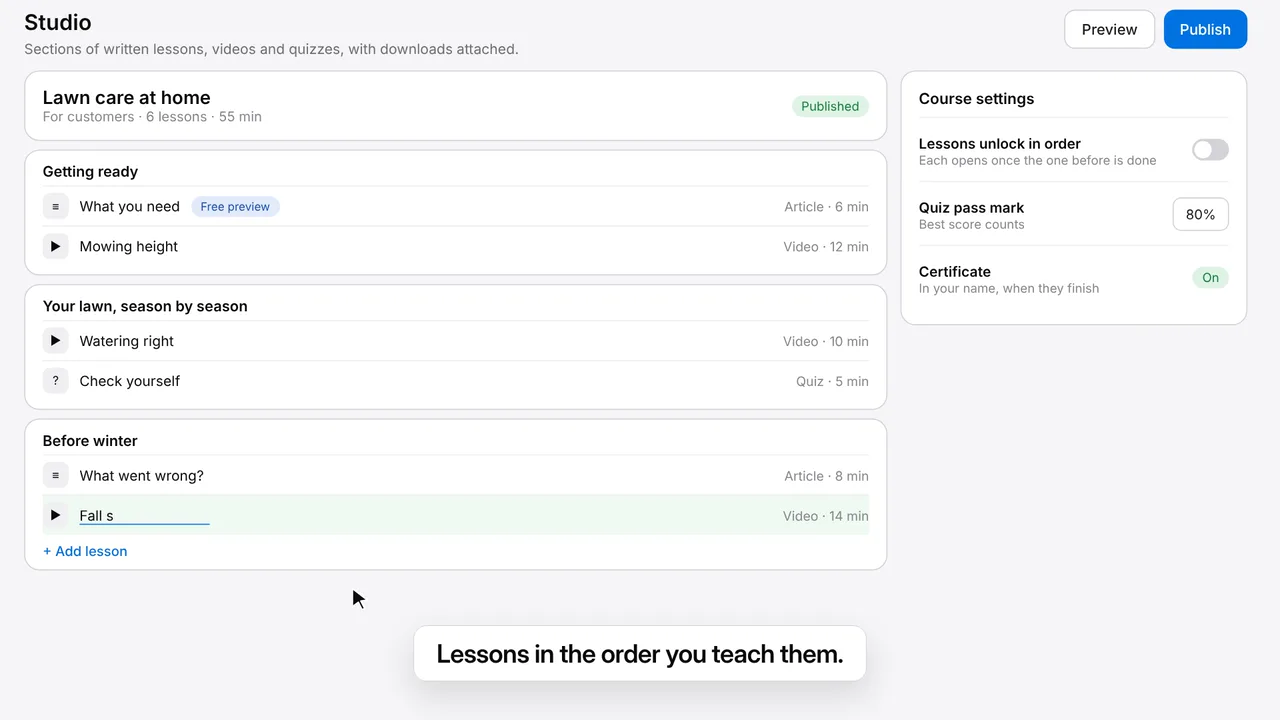
Lessons in the order you teach them
Write a lesson, paste a YouTube, Vimeo or Loom link for a video, add a quiz, and open any lesson free as a preview.
Quizzes that explain the answer
Set the pass mark and say why each answer is right. Learners see their score and the reasons, and can try again.
A certificate with their name on it
Finishing makes a personal certificate page, issued by you, that they can share, print or save as a PDF.
The lesson that loses people stands out
See how many completed each lesson and the average quiz score, and get a notification each time someone finishes.
Onboarding that runs itself
Assign a course to your team with a due date, or enroll every new teammate the day they join. They are reminded as it comes due.
Get paid for what you know
With the Online Store on, link a course to a product. Buying it enrolls them and emails their access, and a full refund takes it back.
Try Courses free for 14 days.
- Start from the Customer how-to course template, or name your own course.
- Add a video by pasting its link, and a quiz with your pass mark.
- Press Preview to take it as a learner would, then publish it.
Then $13 a month for your workspace, under $0.50 a day.
Your courses, wherever your customers are.
Courses works on its own, with an academy page of its own. With the apps beside it, a course sells at checkout and shows up on your customers' accounts, your website and your Link in Bio.
- Online StoreLink a course to a product, and every paid order enrolls the buyer and emails their access.
- Customer PortalCustomers find every course they are in under My courses on their account, and pick up where they left off.
- WebsitesPut All courses or any live course in your site's menu or on a button, picked from a list with no address to type.
- Link in BioYour courses wait under Quick add on your Link in Bio page, one tap to put them on it.
Some of the businesses that run on CustoDesk





Questions about Courses
Can I try it free?
Yes. Courses is free for 14 days, with no card to start. After that it is $13 a month for your workspace, however many people you add. Before the trial ends we email you, and you add a card only to keep it.
What do I see when I start?
My Learning, with the Studio one click away. Start from a template like Customer how-to course or New teammate onboarding, or a Blank course, and add your first lesson.
Where do my videos live?
Where they already are. Paste a YouTube, Vimeo or Loom link, or a link to an .mp4 file, and it plays inside the lesson. Worksheets and checklists attach as images or PDFs to download.
Do learners need a password?
No. They type their email and get a one-time code to sign in. With the Customer Portal on, their courses are also on their account, under My courses.
How do I charge for a course?
Give it a price and link it to a product in the Online Store. Buying it enrolls them and emails their access. Without the Store, you can give someone access yourself from Learners.
Can lessons open one at a time?
Yes, if you like. Switch on Lessons unlock in order and each lesson opens once the one before it is done, or put parts on a schedule that opens them some days after someone joins or on a day you pick. Left off, learners move through it freely.
Can a group start together?
Yes. Add a cohort with a start day and everyone who joins goes into the next one. Their lessons open on days counted from that start, and each person gets an email the day it begins.
Do I pay for each person on my team?
No. Your whole team builds and takes courses on the same plan, however many people you add, and there is no charge for each learner.
Put what you know to work.
Free for 14 days, with no card to start. Build your first course today and share it with a customer or a new hire.
Try Courses freeOr book a demo